One page per campaign
The olive year and the cereal year do not start on the same day. Koru gives each crop its own twelve-month window, assigns each activity to the crop cycle of its parcel, and adds everything up on the campaign page. When the campaign is over, the owner closes it and keeps a dated PDF summary.
On the screen
A campaign from start to close
Citrus 2025/26: four parcels, 2.75 ha, from 1 September to 31 August.
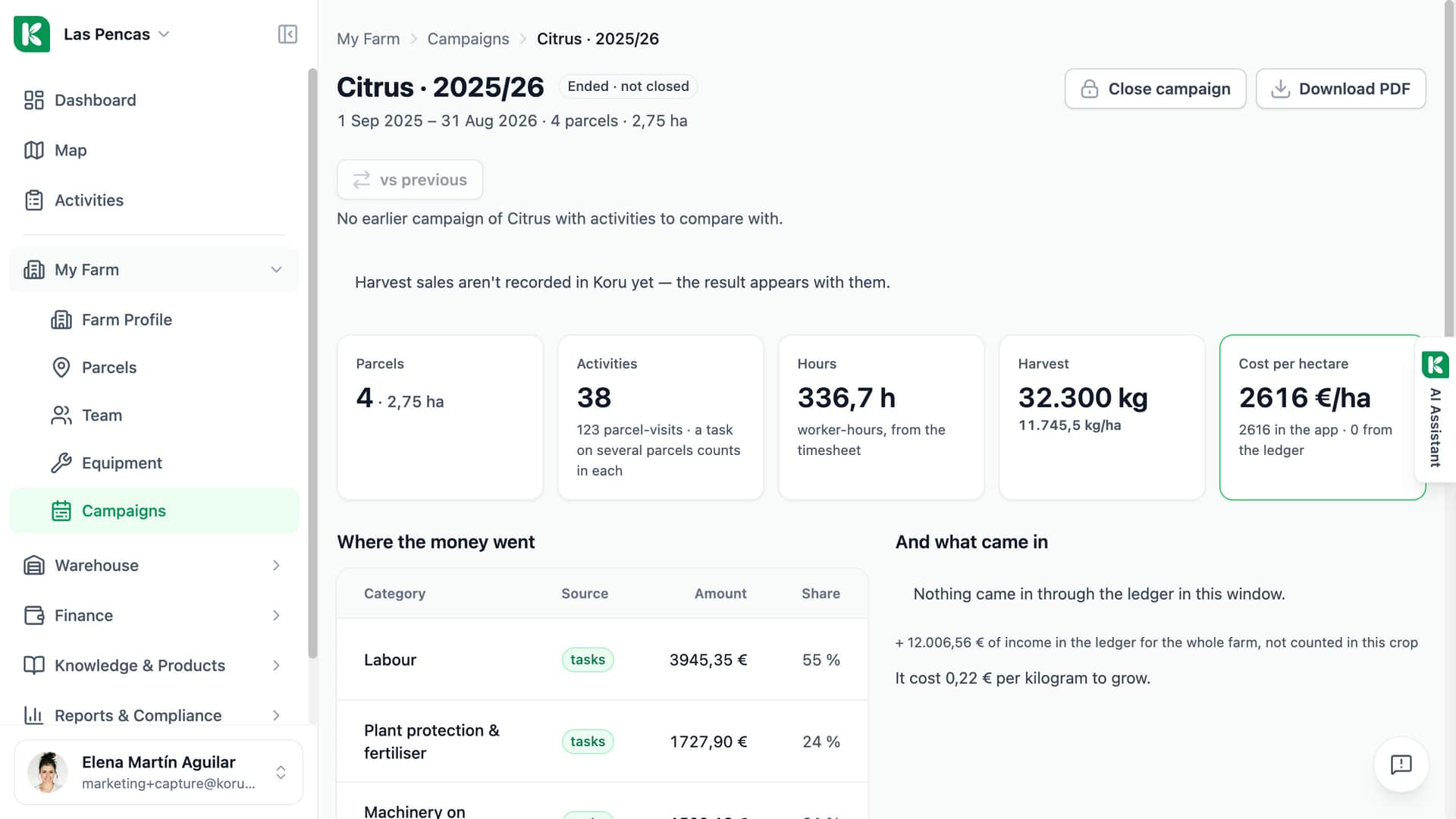
Ended, not closed
The campaign has ended; closing it is a separate step.
The work in it
4 parcels, 38 activities, 336.7 worker-hours, 32,300 kg harvested.
Cost per hectare
€2,616 per hectare, from the app's own records.
Where the money went
Labour, plant protection and machinery, each with its amount, share and source.
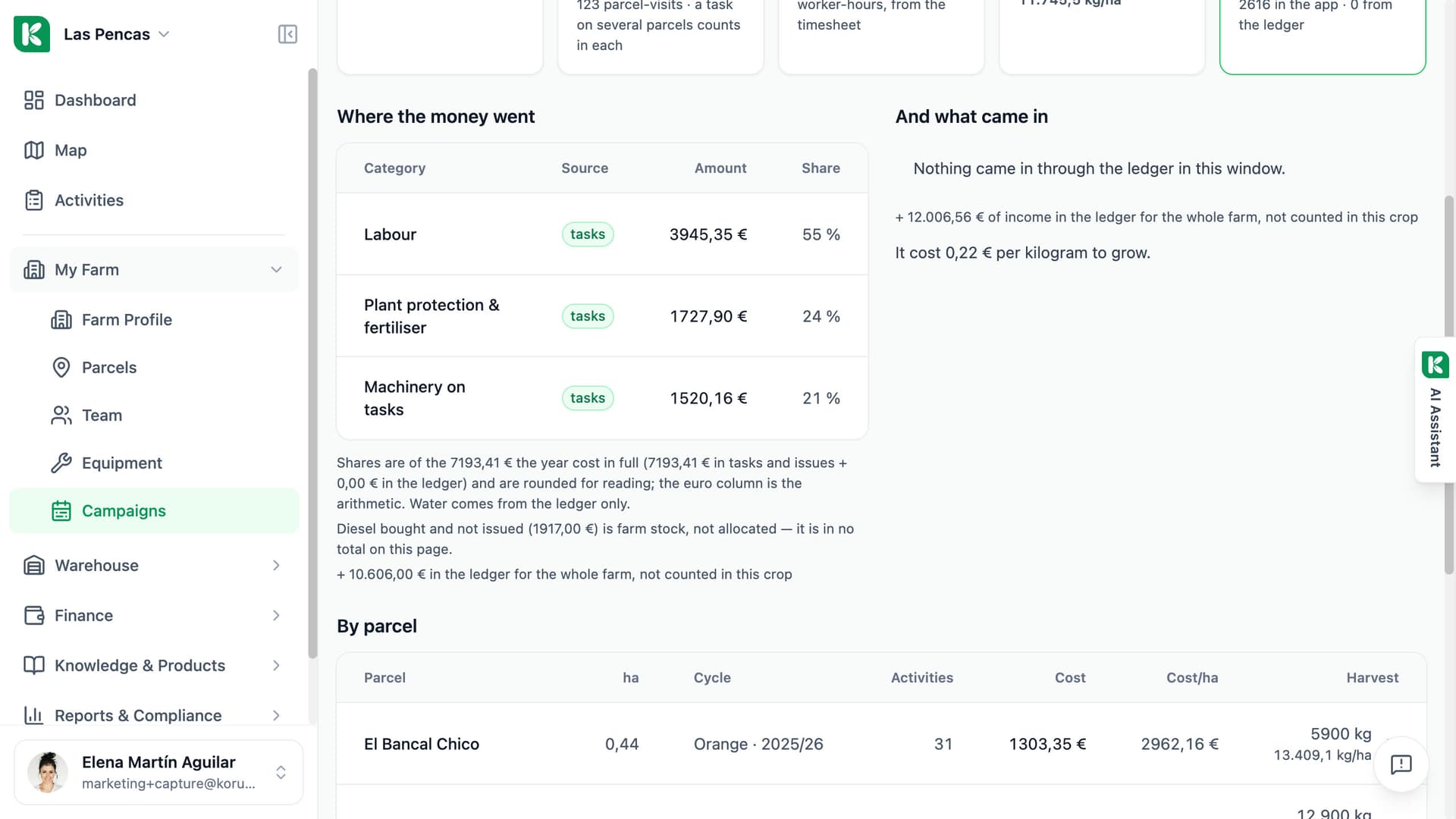
What the campaign did, on one screen.
Open a campaign and read it from top to bottom: parcels and hectares, activities, worker-hours from the timesheet, harvest. With cost tracking on, the page adds cost per hectare, a table of where the money went, what came in through the ledger, and the result. The By parcel table breaks the same campaign down parcel by parcel. A figure that is empty says why it is empty.
- Parcels, hectares, activities, hours and harvest for every farm
- Cost per hectare, money in and out and the result with cost tracking on
- The previous campaign beside this one, counted to the same day
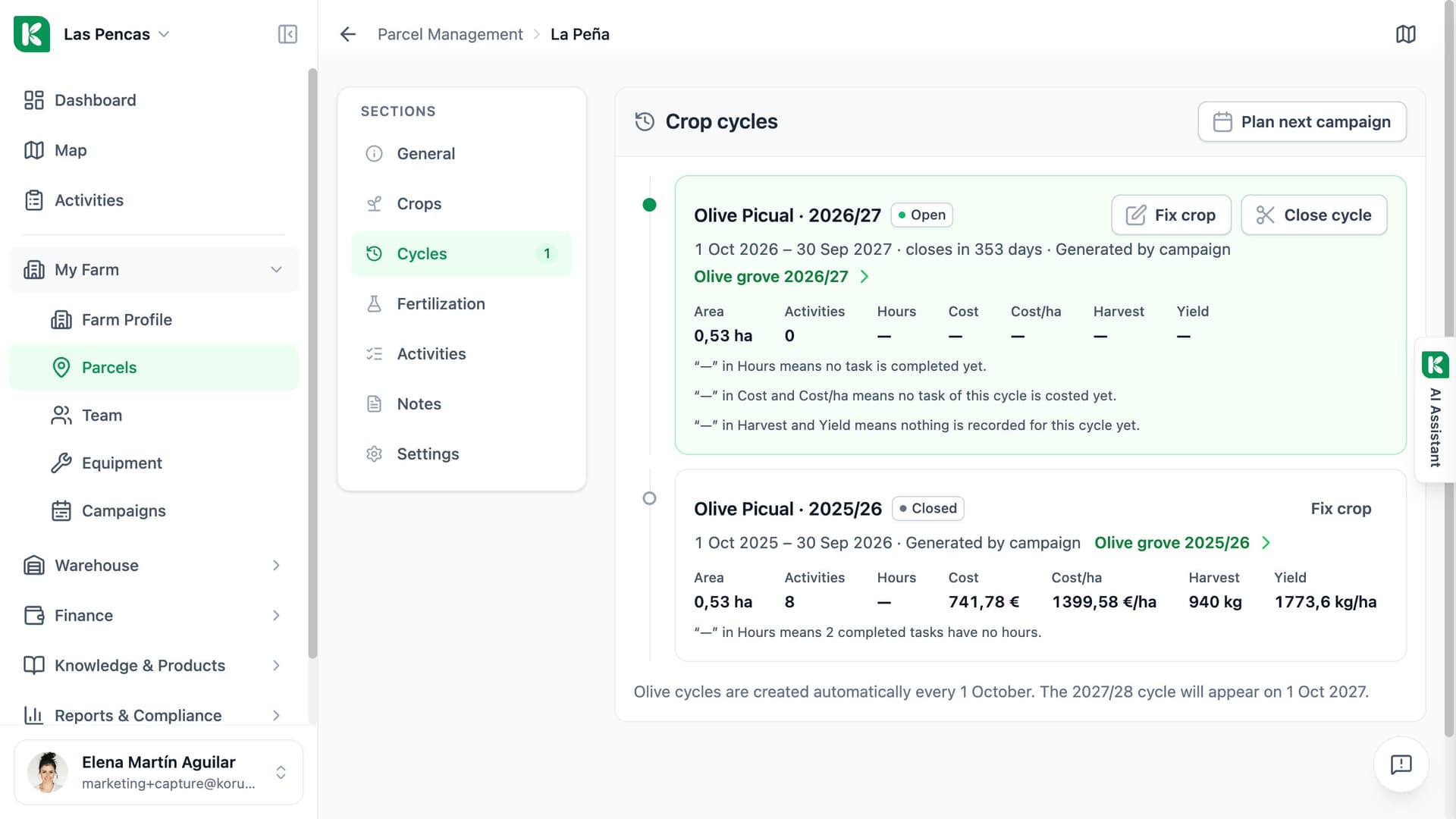
Each parcel keeps the crops it carried, and when.
The Cycles tab of a parcel lists its crop cycles: open, planned and closed, each with its dates, area, hours and yield. Cycles of permanent crops are created automatically every year. For annual crops, logging a sowing opens the cycle. The campaign window of each crop is set under My Farm → Campaigns: pick the start month and the twelve-month window follows.
- Open, planned and closed cycles on each parcel
- A link from every cycle to its campaign page
- A campaign window per crop, with the start month you choose
The season, kept in order.
Built on the activities you already record.
Campaigns by crop
The Campaigns list groups campaigns by crop for the last 4 or 8 years, each with its status: open, ended, closed or planned.
By parcel
One row per parcel of the campaign: hectares, cycle, activities and harvest. Cost and cost per hectare with cost tracking on.
Where the money went
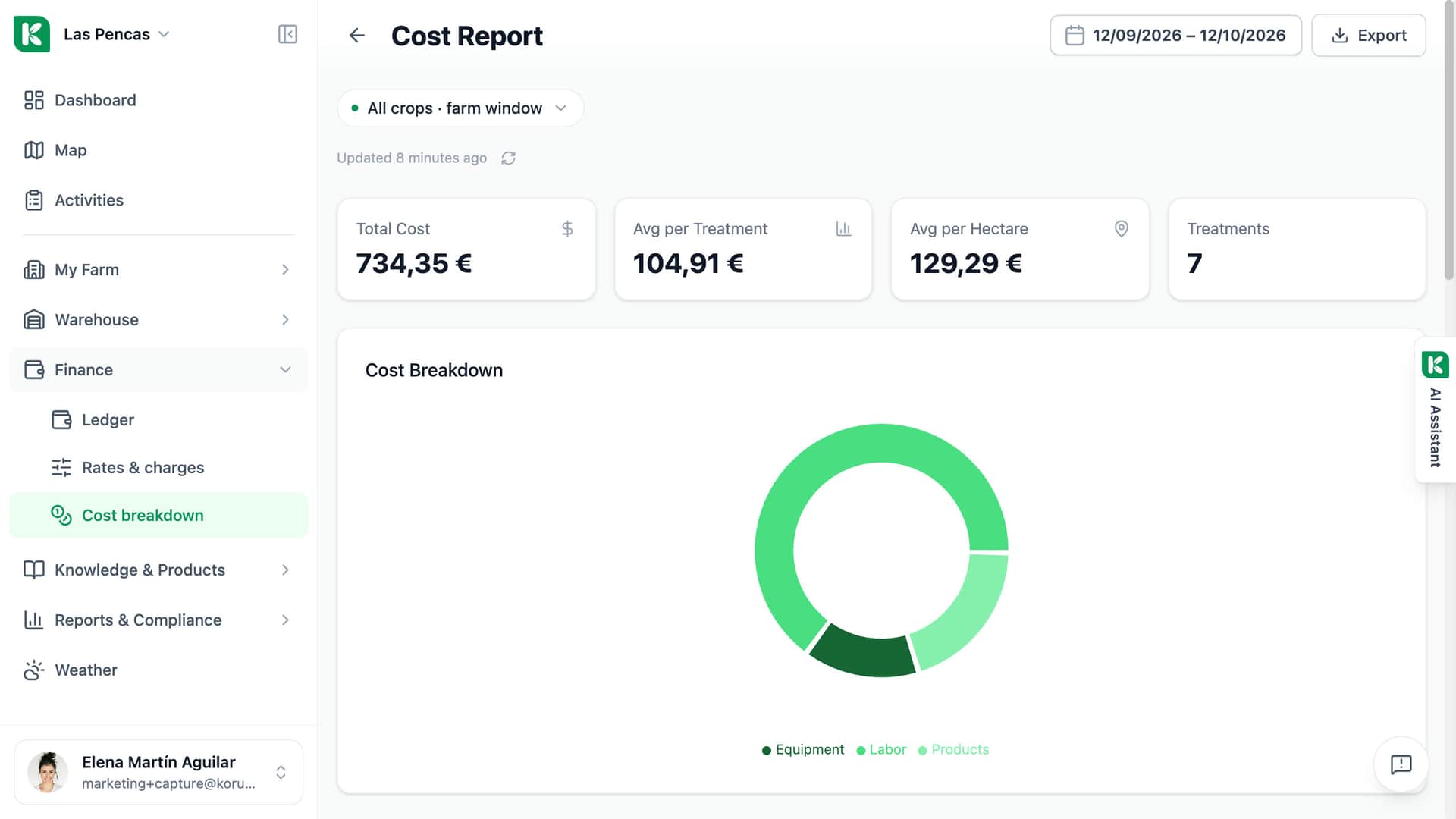
Labour, machinery, products, diesel and contracted work from your tasks, next to the lines of the ledger. Needs cost tracking.
Compare with the previous campaign
One switch puts the previous campaign beside this one. A band points out per-hectare costs that moved by 30 % or more.
Close campaign
The owner or an administrator closes the campaign. The figures freeze on that day and the PDF summary is stored. It can be reopened.
Download PDF
Any member of the farm downloads the campaign page as a PDF, in English, Spanish or Slovak.
Plan next campaign
Per crop: which parcels keep the crop, which rotate, which stay fallow, and when sowing is planned. It is a crop plan, not a budget.
Activities without a cycle
Koru lists the activities that fell outside every cycle, so you can assign them or leave them out on purpose.

For whoever has to answer how the year went.
Single farm
At the end of the campaign you open one page instead of adding up a notebook. Close it, keep the PDF, and plan next year from the same place.
Advisor
Open the campaign page of a farm you manage and read the same figures in the same order every time. The PDF goes to the client as it is.
Cooperative
Every member farm has the same campaign page, so hectares, harvest and cost per hectare read the same way from one farm to the next.
See your season on one page.
Ask for a demo — we will walk you through a whole campaign, start to close.