See which parcel has changed
NDVI is a number between bare soil and dense green canopy, measured from space. On its own it says little. What helps is the change: a parcel that drops against its own recent average is one to visit first. Koru keeps the readings for each parcel, shows the trend and flags the drop. Then it is your eyes in the field that find the cause, whether that is water, a pest, a disease or simply a pruning or a harvest.
On the screen
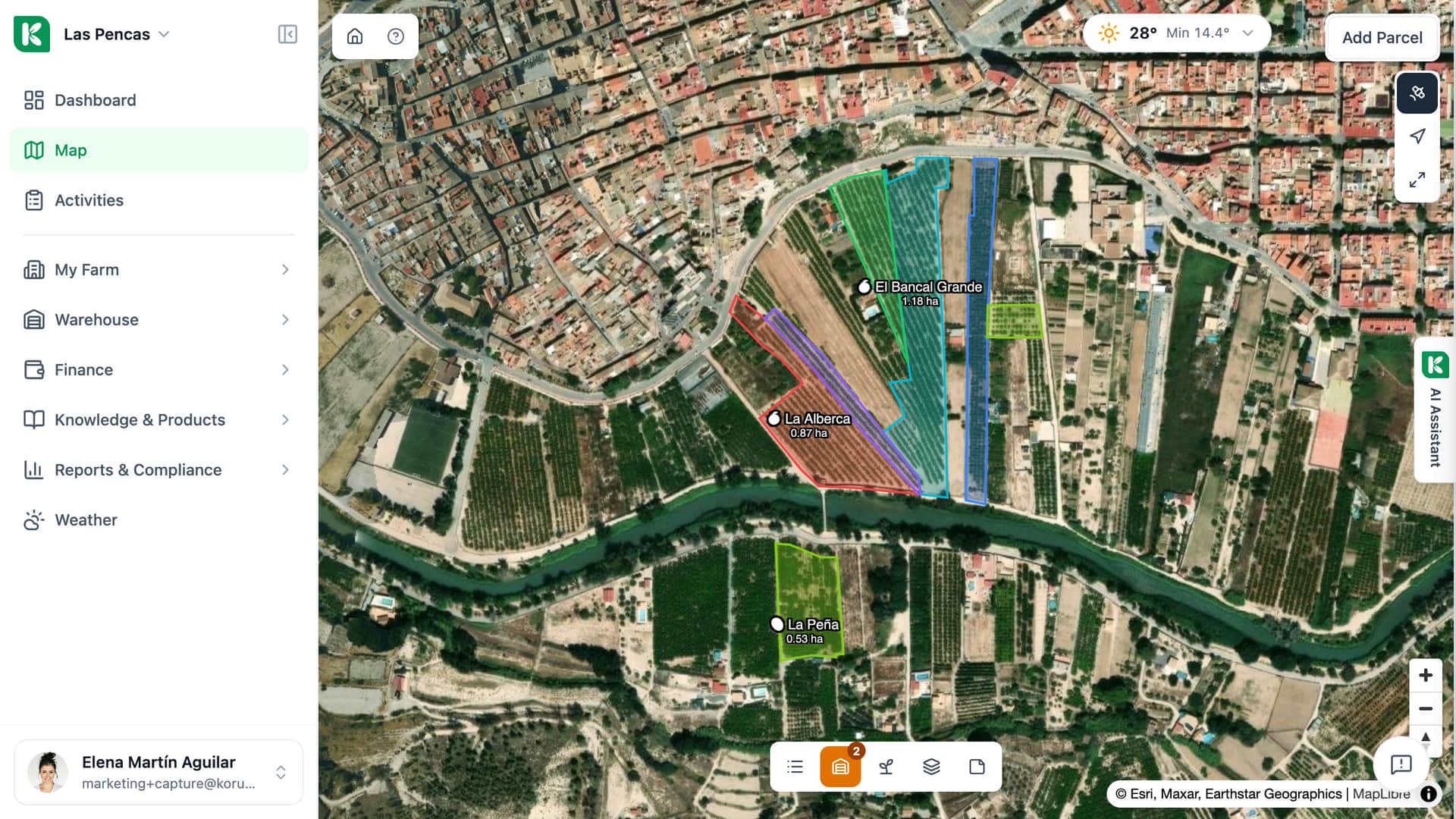
One parcel, seen by satellite
La Peña, an olive parcel in Cieza, Murcia.
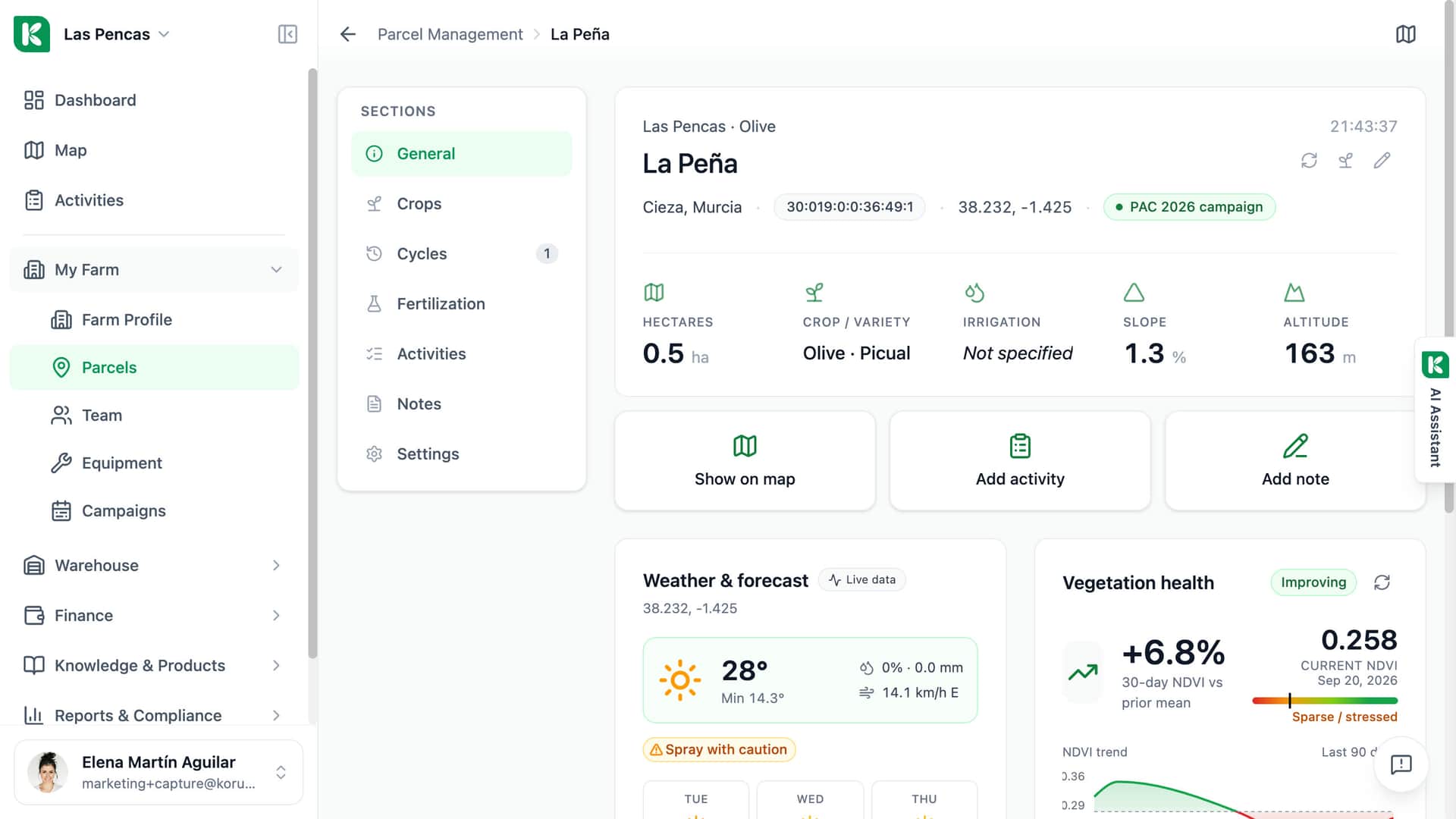
Parcel facts
SIGPAC code, coordinates and the PAC 2026 campaign, under the name.
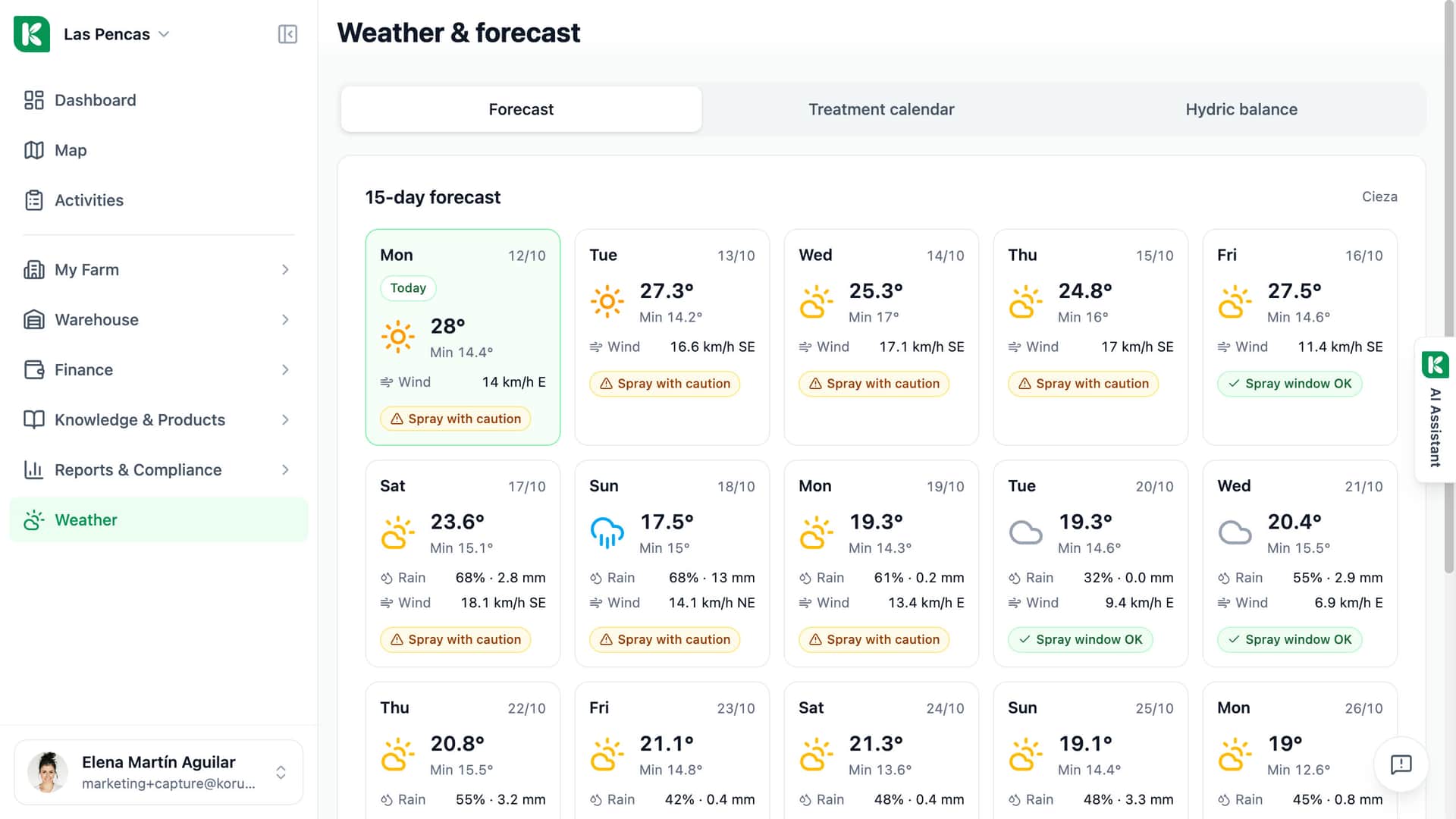
Weather on the parcel
The forecast for the parcel's coordinates, with today's spraying verdict.
Vegetation health
NDVI up 6.8 % over 30 days against the prior mean; current value 0.258.
The trend
NDVI over the last 90 days.
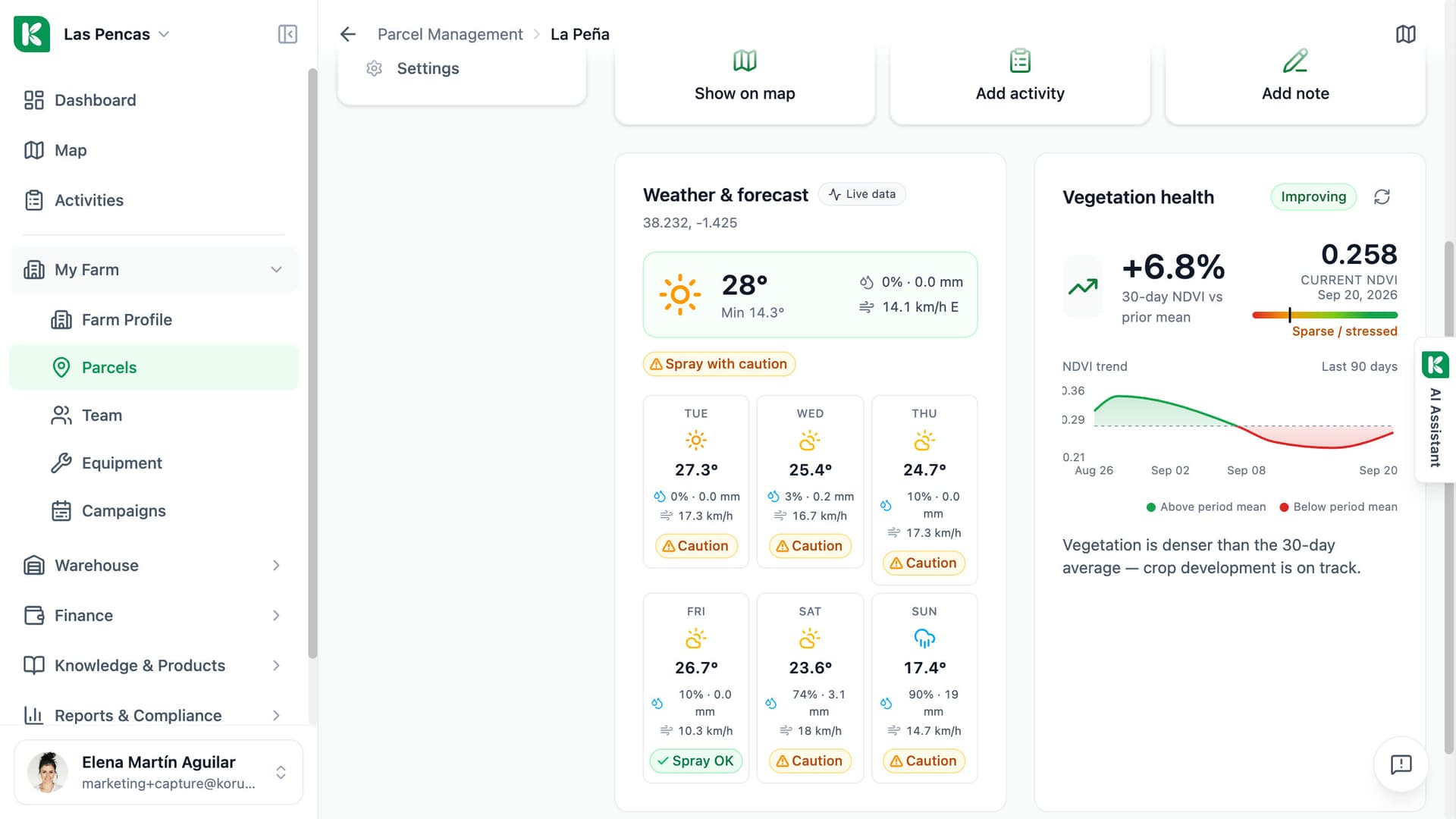
Vegetation health, with the trend behind it.
The parcel page has a Vegetation health tile. It shows the current NDVI, a status (Improving, Stable, Watch or At risk) from the change against the 30-day average, and a chart of the last 90 days. If you expect a fresh pass, press Refresh satellite data. Switch on the Crop health layer on the parcel map to see which part of the parcel is weaker, and click any point to read its value.
- Current NDVI and a status in plain words
- A 90-day trend chart for the parcel
- A Crop health layer cut to the parcel outline
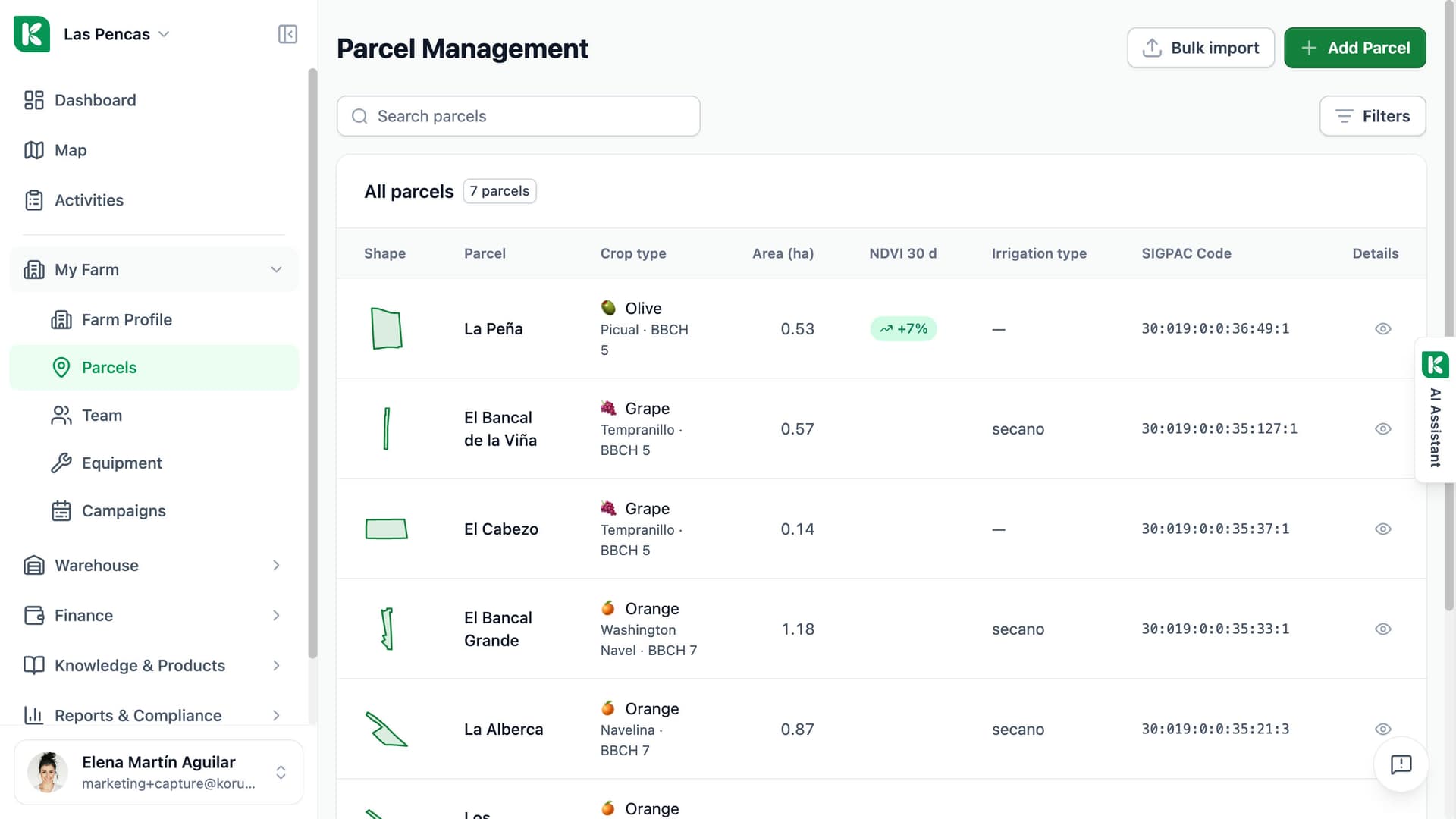
One column tells you where to start.
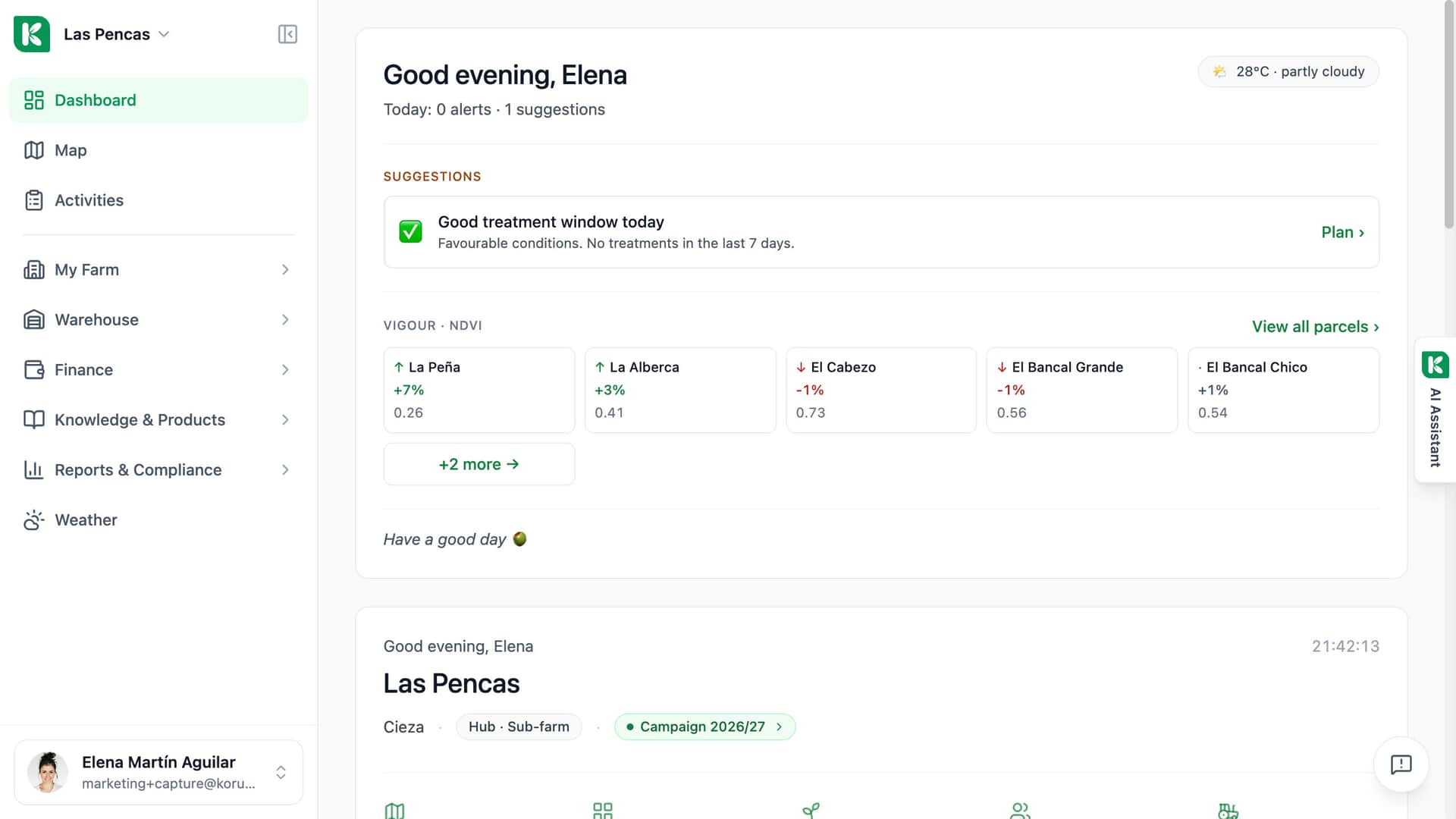
The parcel list has an NDVI 30 d column: how far each parcel is above or below its own 30-day average. Small changes are left out, because they are noise. When a parcel has moved, ask the assistant why. It reads the trend, the last activity recorded on that parcel and, for some crops, a typical range for the season, and it tells you when it has no reference to compare with.
- The change against the 30-day average for every parcel
- A move of more than 15% is treated as an anomaly
- The assistant answers from the readings and your own records
What the satellite gives you, and what it does not.
An index for each parcel, with its limits said plainly.
Sentinel-2 source
The index is computed from Sentinel-2 imagery of the Copernicus programme, at the 10 m resolution of the satellite.
Nightly check
Every night Koru asks for the passes of the last seven days. Sentinel-2 revisits about every five days, so a new reading is not daily.
Trend and change
A 90-day chart on the parcel and the change against the 30-day average, in the parcel list and on the map panel.
Crop health layer
The latest cloud-free image painted inside the parcel outline, with a legend from low to high. Click a point to read its NDVI.
Ask the assistant
Ask how a parcel is doing or why its NDVI dropped. The answer is built from the stored readings and the last activity on that parcel.
Clouds mean no reading
Passes with 30% cloud or more over the parcel are skipped. In a cloudy spell the parcel waits for a clear sky.
Small parcels, few pixels
One pixel covers 10 by 10 metres. A very small or narrow parcel is described by few pixels, so read its value with care.
An index, not a diagnosis
NDVI shows that the canopy changed, not why. Koru suggests a field visit. Parcels marked as auxiliary, such as paths and sheds, are not tracked.

For farms with more parcels than hours in the week.
Single farm
Open the parcel list, look at the NDVI 30 d column and visit first the parcel that has dropped. The trend on the parcel page tells you whether it is a one-off or a slide.
Advisor
Before a visit, open the client's parcels and see which ones moved since last time. The Crop health layer shows which part of the parcel to walk.
Cooperative
Every member farm has NDVI for its own parcels with nothing to install and no module to ask for. A parcel needs an outline on the map to be read.